
Where is voice input and how do I open it?
On mobile, long-press the space bar or tap the mic icon to start voice input and speak to get text; the Cantonese keyboard also supports voice, and iPhone needs Allow Full Access first.
How do I set up voice the first time?
Long-press space or tap the mic, speak, then release or tap done to insert; the first time it asks for mic permission, and on iPhone you also enable Allow Full Access in the keyboard.
Is voice-to-text accurate, and dialects?
Voice supports several accents, and the Cantonese keyboard recognizes Mandarin, Cantonese and English; accuracy depends on network and noise, with quiet, well-connected conditions working best.
Is voice input free?
Yes, voice is a built-in basic feature, free with the app; the in-app purchases noted on iOS refer to skins and extras, not basic abilities like voice.
How do I open the AI assistant?
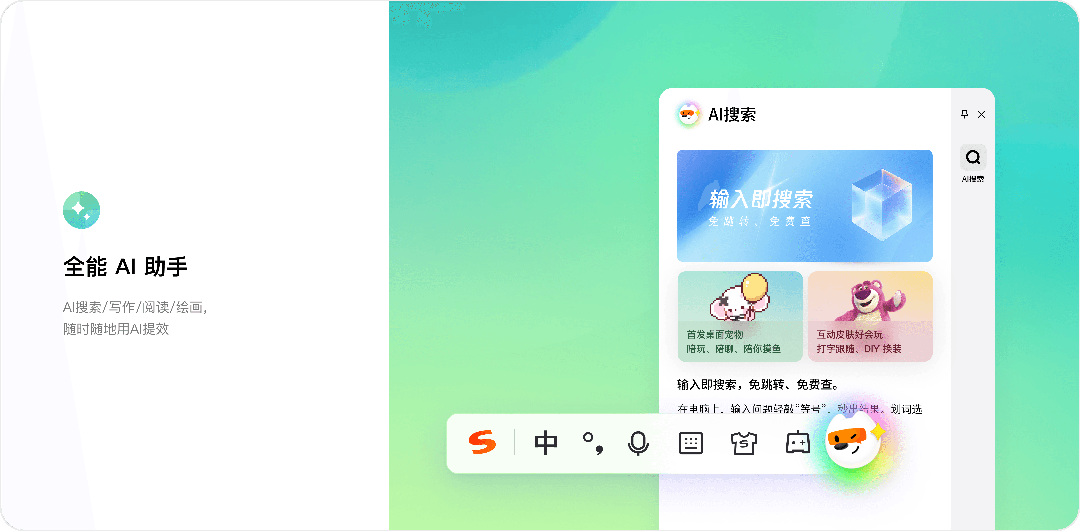
Recent main versions add AI; the entry is usually under the S or wrench icon settings or function area, wording varies by version, and cloud sync needs Sogou Passport login.
Does AI writing need membership?
Basic typing is free; whether AI writing needs membership or has a free quota varies by version and policy, so check the in-app rights page for current terms.
How do I use translation?
The toolbar or function area usually has a translation entry; type Chinese and convert to a target language, with some versions translating as you type, though the entry name varies by version.
The mic has no sound, what now?
Usually mic permission is off: in system Settings, Apps, Sogou, Permissions allow the microphone, and on iPhone enable Allow Full Access; also check no other app is using the mic.
Voice says network error, is it blocked?
More likely a network path issue: overseas the mainland build sends voice to mainland servers, so an unstable link causes errors; change network, update, sign in or use the overseas build.
Voice keeps failing overseas, do I need a VPN?
Not necessarily; the easier path is the official overseas/international build that suits overseas networks, plus signing in to sync your dictionary and relying less on real-time cloud.

How do I grant mic access on iPhone?
After installing, add Sogou under Settings, General, Keyboard, Add New Keyboard, then enable Allow Full Access in the Sogou keyboard so cloud and voice work.
Can I use AI overseas without a mainland number?
Yes, log in with QQ or a Sogou account via Sogou Passport, not just a mainland number, to sync your dictionary and use version-dependent features.
Sources: Sogou Input official site、Sogou Mobile Input、Apple App Store、Apple Support 据上述官方与权威资料整理。